

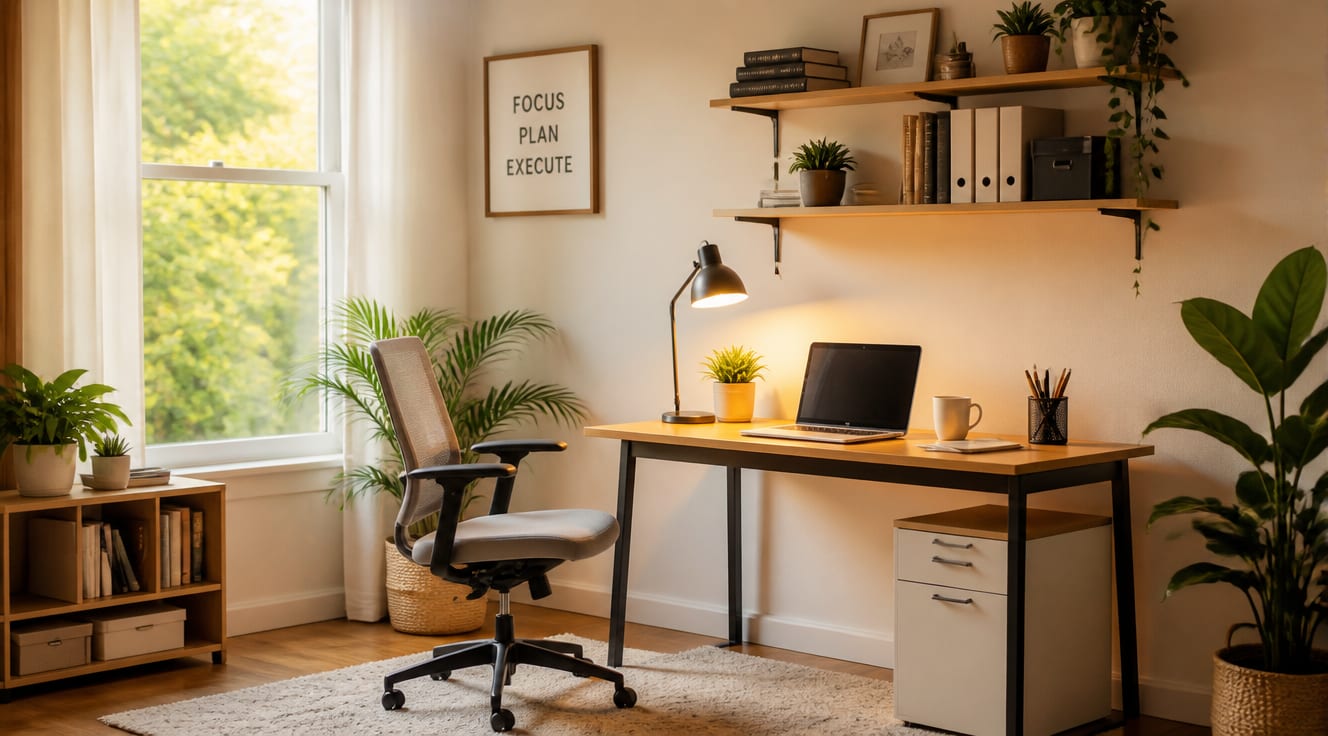
Setting up a home office on a budget is entirely possible if you focus on essentials, prioritize ergonomics, and know where to source affordable furniture and gear. Most people can build a productive, comfortable workspace for between $150 and $500 by combining secondhand finds, smart DIY projects, and a few strategic purchases. The key is resisting the urge to replicate a corporate office and instead designing a setup that fits your actual work habits and the space you already have at home.
What Does a Functional Home Office Actually Need?
Before buying anything, write down what you really do each workday. A writer needs a quiet corner, a sturdy surface, and good light. A video caller needs a neutral background, decent lighting, and reliable audio. A designer needs screen real estate and a precise mouse. Most budget home offices fail because people copy Pinterest boards instead of solving their own workflow problems.
The minimum functional kit includes a desk, a chair, a monitor or laptop stand, lighting, and cable management. According to a 2023 Buffer State of Remote Work report, 97% of remote workers would recommend remote work to others, but the same study showed that “collaboration and loneliness” are the top struggles, meaning your setup should reduce friction and help you stay focused for long stretches.
- Desk surface: at least 100×60 cm to fit a laptop plus a notebook or second screen.
- Chair: adjustable height, lumbar support, and a seat depth that fits your legs.
- Lighting: one overhead source plus one task lamp to reduce eye strain.
- Connectivity: a stable internet connection, a headset, and a webcam if you take calls.
Where Can You Find Affordable Office Furniture?
The biggest mistake beginners make is buying everything new from a single store. Mixing sources is how you stretch a budget without sacrificing quality. New furniture chains often charge 2x to 3x markup compared to secondhand equivalents in good condition.
- Facebook Marketplace, OfferUp, and Craigslist: Herman Miller and Steelcase chairs regularly appear for $80 to $200 when new models cost $1,000+. Look for terms like “office liquidation” or “moving sale.”
- IKEA and similar flat-pack retailers: the LINNMON tabletop plus ADILS legs is a classic budget desk hack, often under $40.
- Thrift stores and Habitat for Humanity ReStores: solid wood desks and filing cabinets for a fraction of retail price.
- Refurbished tech from manufacturers: Dell, Apple, and Lenovo certified refurbished laptops and monitors come with warranties and typically run 20% to 40% less than new.
Stanford economist Nick Bloom’s well-known 2015 study on remote work found a 13% productivity increase when employees worked from home, partly due to better-customized workspaces, a benefit you only get when you choose your own setup instead of inheriting one.
What’s the Cheapest Way to Build a Desk and Storage?
If you cannot find the right desk used, a weekend DIY project can outperform cheap flat-pack options. Two sawhorses plus a solid door from a hardware store (around $40 to $60 total) creates a heavy-duty desk that lasts decades. Add hairpin legs to a thick plywood slab for a modern look under $80.
For storage, think vertically. Floating shelves cost less per square meter than any drawer unit and keep the floor clear, which matters in small spaces. The U.S. Bureau of Labor Statistics reported that roughly 22% of the workforce did some or all of their work from home in 2023, and most were working in shared rooms rather than dedicated offices, so vertical storage is essential.
- Wall-mounted pegboard: under $30, holds cables, headphones, and supplies.
- Rolling cart: a 3-tier utility cart replaces a filing cabinet for under $40.
- Cable trays under the desk: $10 to $20 and instantly make the space look professional.
Which Budget Office Chairs Are Actually Ergonomic?
A bad chair will cost you more in back pain and lost productivity than any savings upfront. The good news: ergonomic does not have to mean expensive. Here is a quick comparison of options that balance cost and support.
| Chair Model | Approx. Price | Adjustability | Best For |
|---|---|---|---|
| IKEA MARKUS | $200 | Height, tilt, lumbar | Tall users, long sessions |
| HON Ignition 2.0 | $250 | Full ergonomic adjustments | Multi-monitor work |
| Used Herman Miller Aeron (Size B) | $300–$500 | PostureFit, lumbar, arms | All-day comfort, resale value |
| Branch Ergonomic Chair | $349 | 7 points of adjustment | First-time ergonomic buyers |
| Amazon Basics Mesh Chair | $80 | Height, tilt | Students, light use |
Test any chair for at least 10 minutes in person when possible. According to Global Workplace Analytics, between 25% and 30% of the workforce will be working from home multiple days a week by the end of 2024, so a chair you use thousands of hours a year is one of the few items worth stretching your budget for.
How Do You Optimize Lighting and Tech Without Overspending?
Lighting is the most underrated element of a home office. A $25 LED desk lamp with adjustable color temperature can reduce eye strain more than a $300 monitor upgrade. Position the lamp on the opposite side of your writing hand to avoid shadows, and add a sheer curtain if you get screen glare from a window.
For tech, ask before you buy. A docking station lets you turn any laptop into a desktop setup, saving you from buying a separate computer. An external monitor, even a used 24-inch model, doubles your usable screen space for under $80 and pays for itself in productivity within weeks. Wireless peripherals reduce clutter and usually cost the same as wired versions.
Real Example: Sarah’s $250 Home Office Makeover
Sarah, a freelance graphic designer in Portland, needed a usable workspace in her 1-bedroom apartment but only had a $250 budget. She kept her existing laptop and bought a 24-inch refurbished Dell monitor for $90. The desk was an IKEA LINNMON tabletop ($30) on secondhand ADILS legs from Facebook Marketplace ($15). Her chair was a used Steelcase Leap she found at a local office liquidation for $120. Lighting was a $25 TaoTronics LED lamp, and a $10 cable tray from Amazon finished the look.
The result: a clean, ergonomic setup she has used daily for two years. Her total spend per year of use is roughly $125, less than one month of coworking membership. This kind of mix-and-match approach is exactly how most budget home offices are built in real life.
How to Apply This Starting Today
Open a notes app and write down the three tasks you do most in your workweek. Then build your space around those tasks instead of around a generic office checklist. Spend the first hour measuring your available space and listing what you already own. Spend the second hour browsing Facebook Marketplace and OfferUp with alerts set for “desk,” “chair,” and “monitor” so deals reach you automatically.
Cap your initial furniture spend at $300 and reinvest any saved money into a better chair or monitor after a month of use. A home office is a working system, not a showroom, and it improves faster when you iterate based on real use rather than planning in the abstract.
Frequently Asked Questions
What is the cheapest way to set up a home office?
The cheapest functional home office uses a flat-pack tabletop desk, a used office chair from a marketplace listing, a refurbished monitor, free natural light, and items you already own. Many people build a complete setup for under $150 by sourcing secondhand and reusing existing tech.
How much does a basic home office cost on a budget?
A basic but productive home office typically costs between $150 and $500. The lower end covers a desk, chair, lighting, and cable management. The higher end adds an external monitor, docking station, and ergonomic chair for full-time work.
Do I really need an ergonomic chair for a home office?
If you sit more than three hours a day, yes. A chair with adjustable height and lumbar support prevents back pain and improves focus. Budget-friendly ergonomic options exist, and buying a used premium chair is often cheaper than a new budget one.
Where is the best place to put a home office in a small apartment?
The best spot is near a window for natural light, away from the bedroom if possible, and in a corner where you can face a wall to reduce visual distractions. Closets converted into offices (“cloffices”) are popular for very small spaces.
Can I deduct my home office setup on my taxes?
Self-employed freelancers and business owners can often deduct home office expenses as a percentage of utility bills, rent, and internet. Employees who work remotely generally cannot claim these deductions at the federal level, but some states offer remote work credits. Check current IRS rules or a tax professional.